New Guide The Help Desk AI Maturity Journey: A Support Team’s Guide Download Now

Live chat software

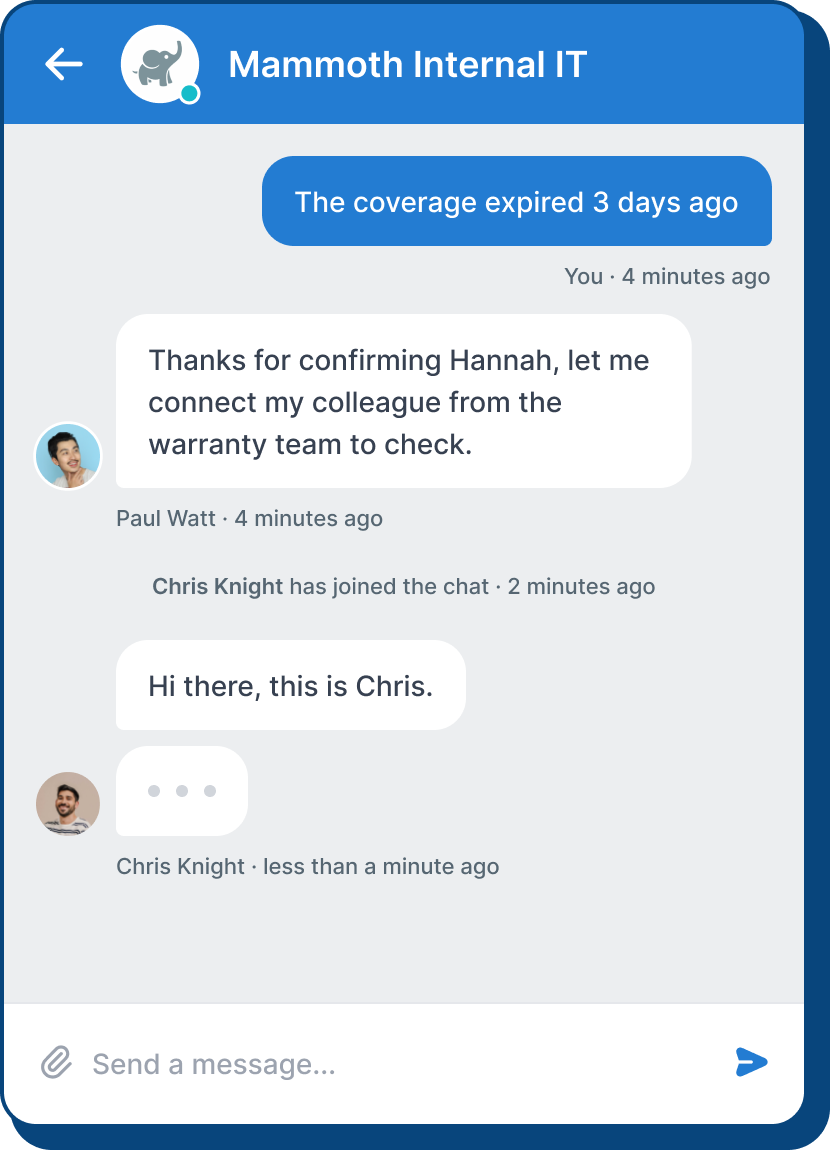
Offer round-the-clock support and connect with customers to resolve queries whenever your team is free.

Provide Efficient Support

Get to the bottom of simple queries in no time and increase team productivity.
Engage with Customers

Improve engagement by initiating chats with current and potential customers.

Monitor Performance

Analyze metrics and create custom reports to understand and improve chat support.

Understand Your Visitors

See pages customers are browsing and preview messages they type in real time.

Efficient Multi-Chat Handling

Reduce wait times and boost resolution rates

Seamlessly jump between multiple conversations, collaborate with colleagues, or team up on support; reduce customer wait times by handling multiple chats at a time.

Multi-agent chats
transfer
Deflect requests

Multi-agent chats

Multi-agent chats

Two heads are better than one. Your colleague can jump into active chats to help solve customer issues on the double.

Transfer

transfer

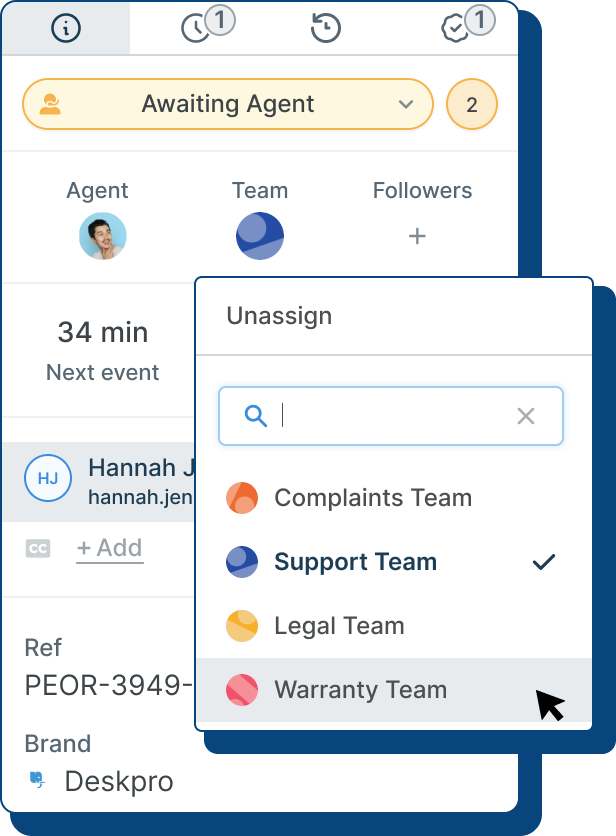
Agents can reassign chats directly to other agents with a couple of clicks. Helpful when specific team members are the experts on a certain issue.

Deflect requests

Deflect requests

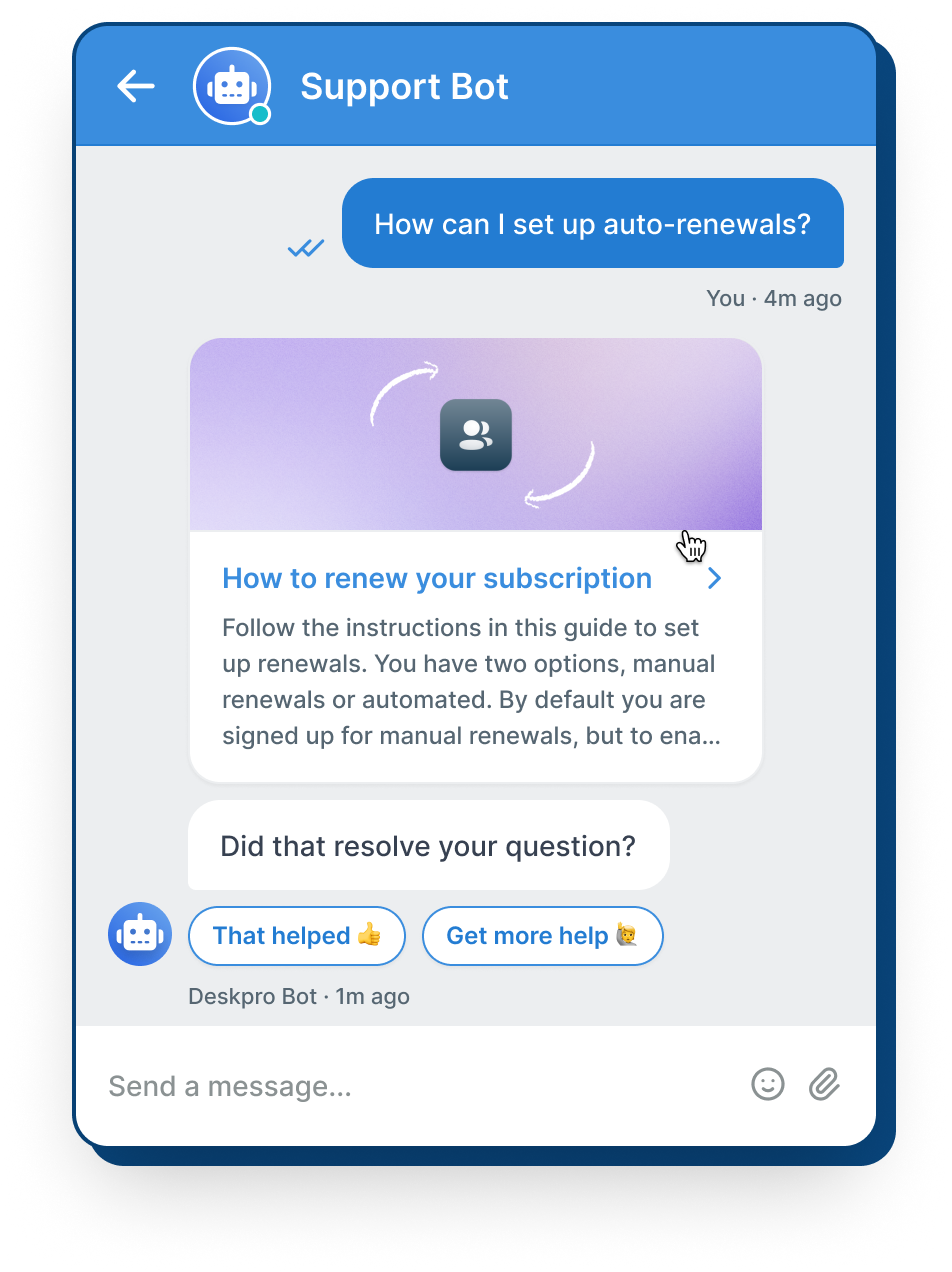
Create chatbot flows that proactively suggest relevant options to reduce incoming queries.
message previews

Stay ahead of the game with proactive previews

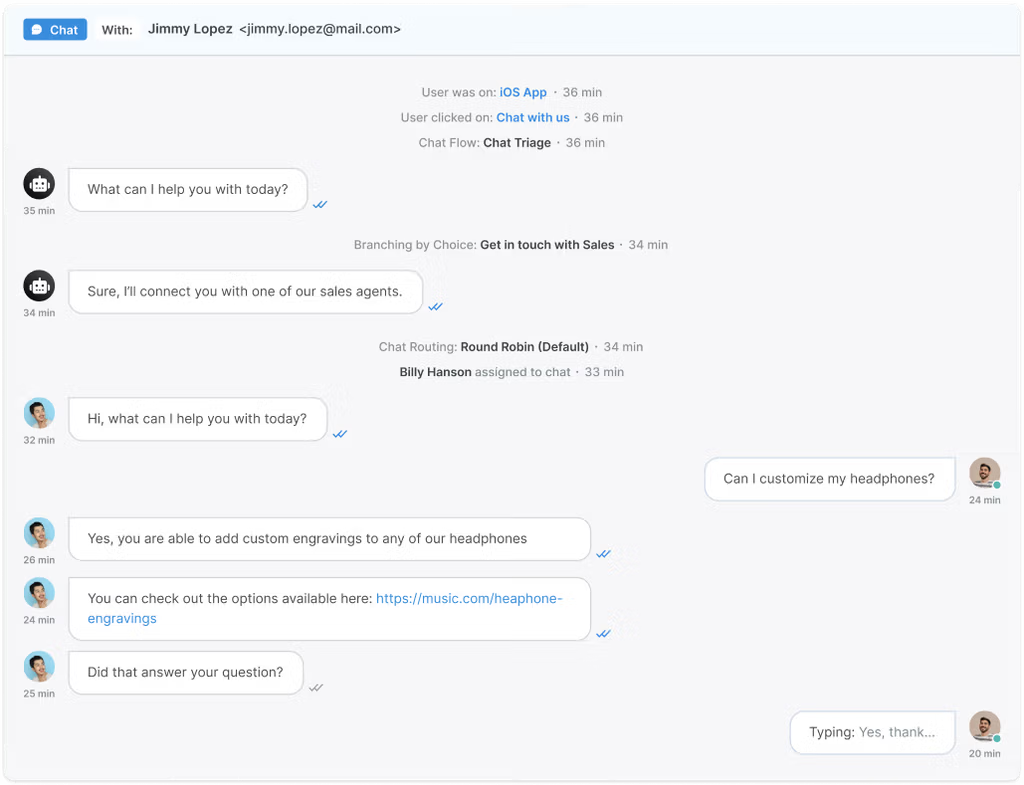
See what customers are typing in real-time before they press send. Your customer service agents can find an answer whilst they type and reply faster. And identify a customer’s sentiment by seeing what they delete, as well as what they send.

stay-ahead-of-the-game-with-proactive-reviews

Custom Routing

Interactive chat flows

Create pre-defined chat paths, where a user’s selection determines the next step in the conversation, whether you route queries through your chatbot or directly to an agent.

Reducing friction and your most common queries by automating core processes.

DESKPRO MESSENGER

Full support in one clever chat widget

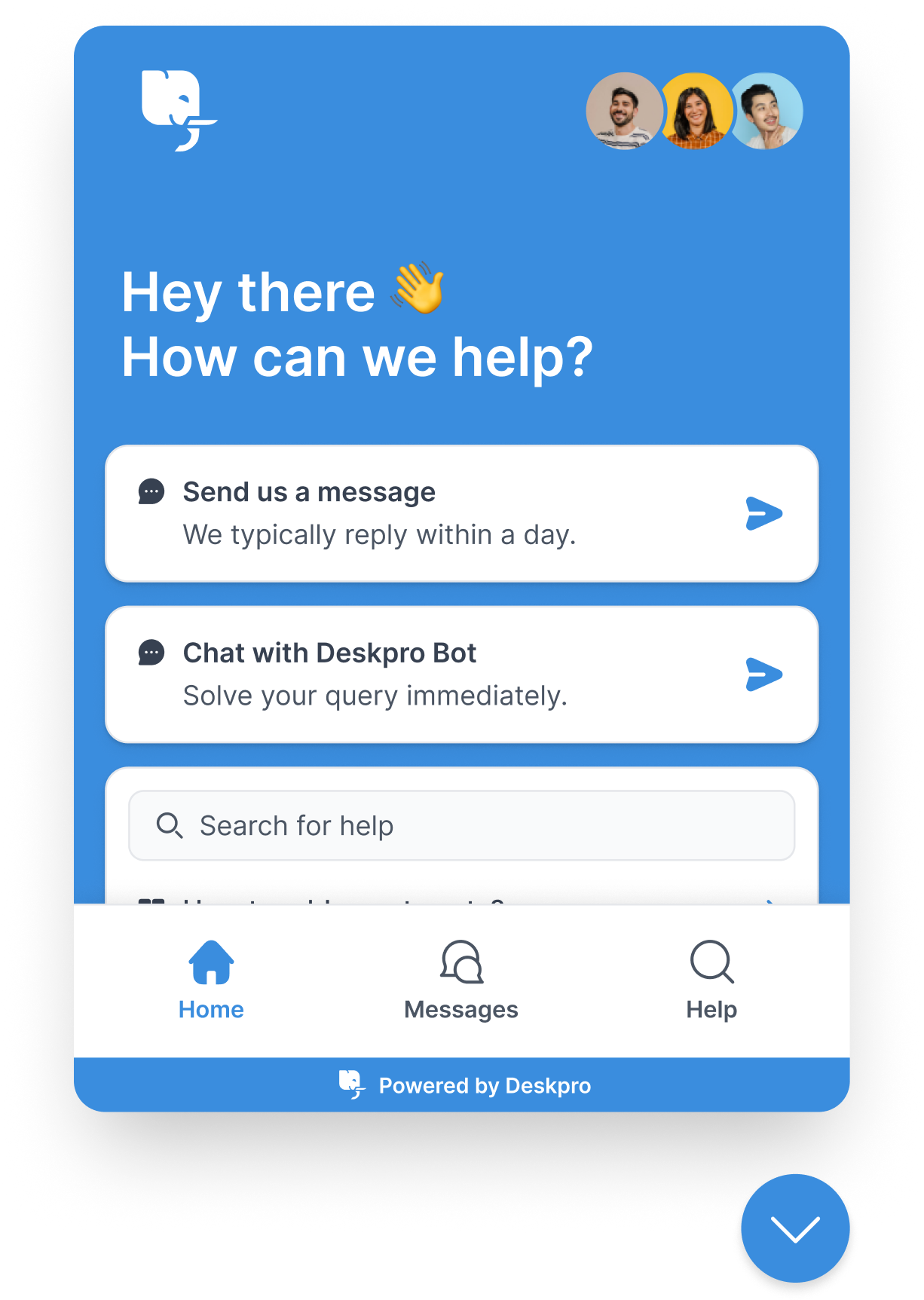
Deskpro Messenger improves customer experience and lets you provide great support anywhere. Customers can access essential help desk features from a single, intuitive interface that you can embed wherever they need it the most.

home
Quick Search
Conversation History
Branded Chat Widget

Home

home

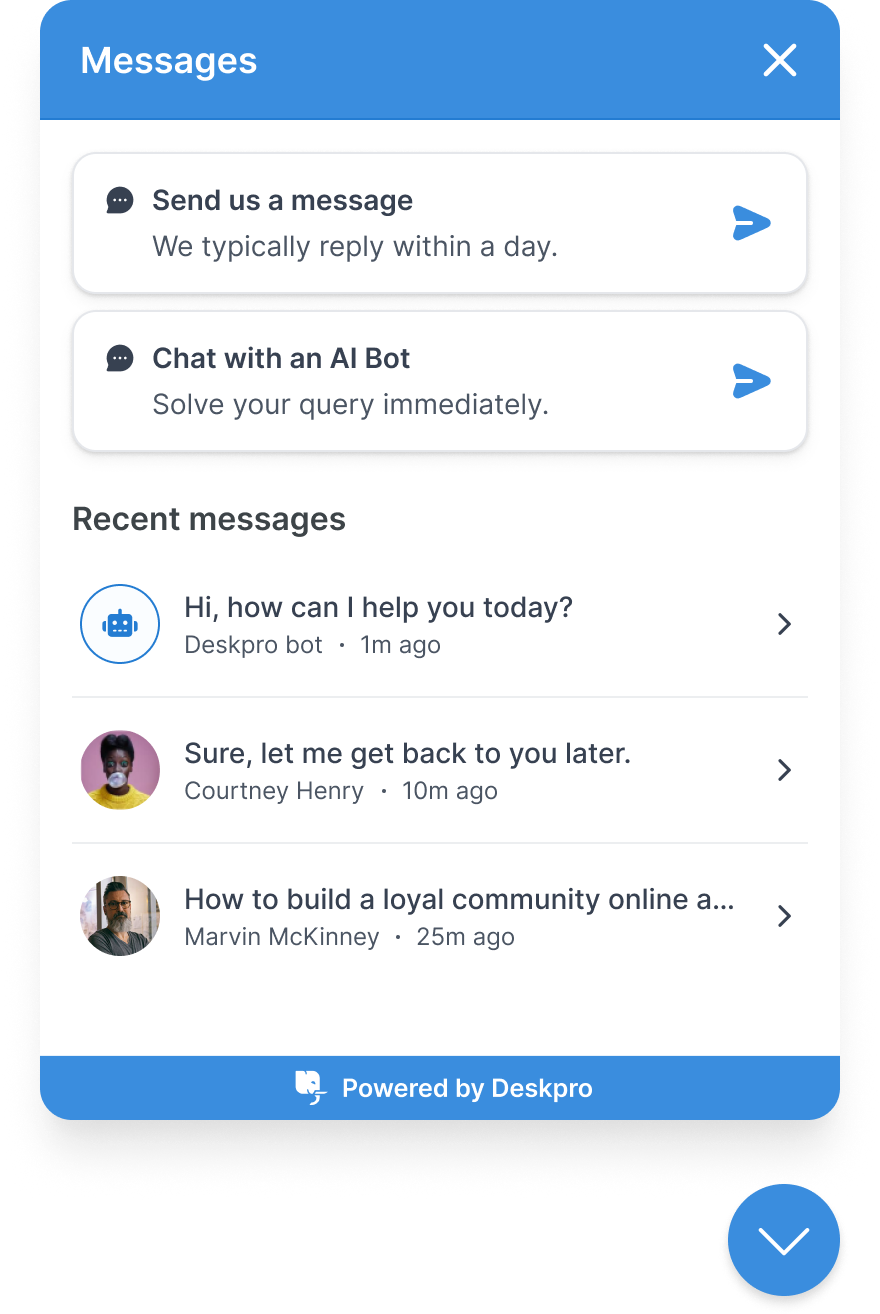
Your most important support features are at the customer's fingertips at all times.

Learn more about Messenger

Quick Search

Quick Search

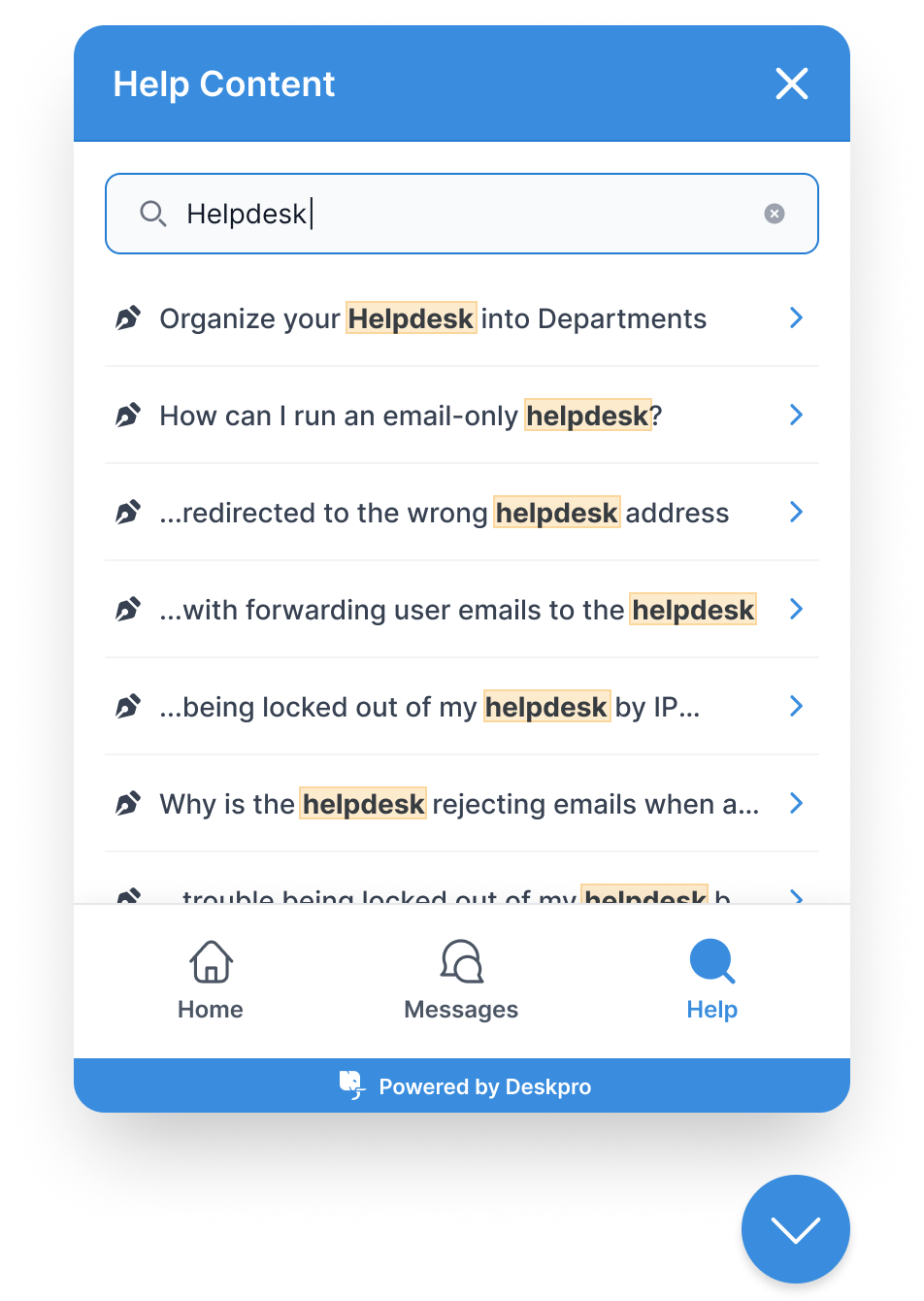
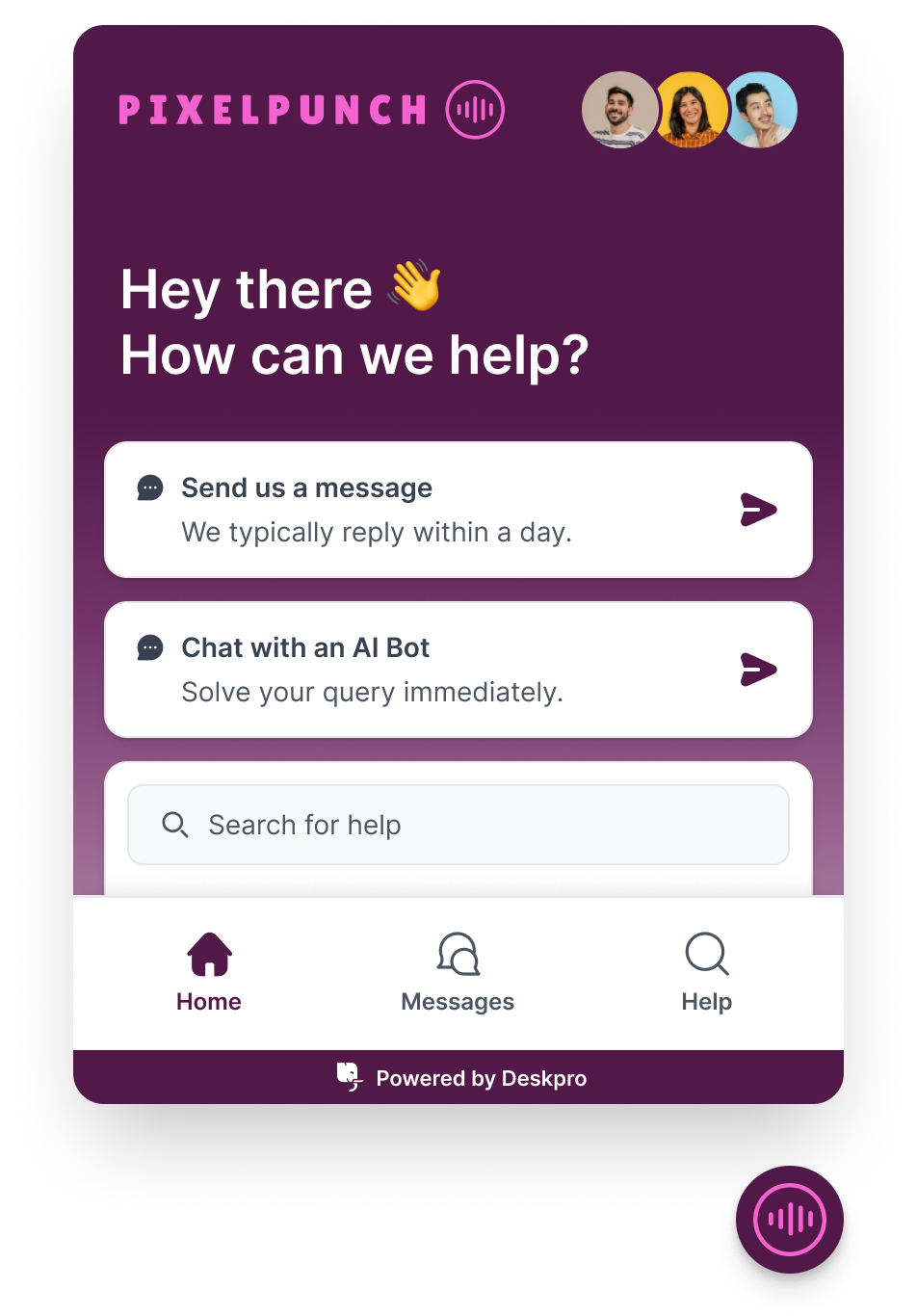
Let customers search all your help content by offering access to the self-service Help Center in Messenger.

Learn more about Messenger

Conversation History

Conversation History

Customers can review chat history and pick things up where you left off if they re-encounter an issue.

Learn more about Messenger

Branded Chat Widget

Branded Chat Widget

Customize the whole look and feel of your Messenger widget. Pick colors, styles and themes that suit your brand and logo.
Learn more about Messenger

FAQs

What does Deskpro's Chat offer?

What live chat features does Deskpro include?

Deskpro's live chat software for customer service includes multi-chat handling so agents can run several conversations at once, real-time message previews so agents can see what a customer is typing before they send it, proactive chat prompts to initiate conversations based on visitor behavior, and interactive chat flows that route queries to the right team or knowledge content automatically. It also includes the Deskpro Messenger widget, which combines live chat, knowledge base search, and conversation history in a single embeddable interface. Every chat converts into a ticket with full history, so nothing gets lost when a conversation needs to escalate. See how it fits within Deskpro's omnichannel customer support platform alongside email, voice, WhatsApp, and social.

How does Deskpro's live chat software reduce agent workload?

Multi-chat handling is the biggest lever. Agents can run several conversations simultaneously without losing context, which means the same team covers more volume without adding headcount.

Message previews let agents start forming a response while the customer is still typing, cutting back-and-forth rounds on straightforward queries.

Automated chat routing means agents only receive conversations relevant to their team or expertise.

The Messenger widget also surfaces knowledge base articles before a customer reaches an agent, so a portion of chat volume deflects entirely. For teams tracking the numbers, all of this feeds into help desk reporting with per-channel metrics on response time, resolution rate, and chat volume by team.

Can Deskpro's live chat run in a private or on-premise environment?

Yes. Deskpro's full live chat functionality is available on Deskpro Private, which supports on-premise, sovereign cloud, private cloud, and VPC deployment. For organizations in regulated industries, this matters because cloud-only live chat tools route customer conversations through shared third-party infrastructure. That creates data residency issues for healthcare organizations subject to HIPAA, government agencies with data sovereignty requirements, and financial services firms with strict controls on where customer data can sit. Deskpro Private gives you the same live chat experience with your data staying inside your own environment.

Does Deskpro's live chat software include AI capabilities?

Yes. Deskpro's AI help desk features extend into live chat with AI-assisted response suggestions, automated triage based on chat content, and knowledge-driven article surfacing inside the Messenger widget. For organizations that cannot route chat data through public AI models, Deskpro Private supports AI capabilities that run entirely inside your own environment. That means your chat conversations and customer data never leave your infrastructure to generate an AI suggestion. For teams evaluating AI live chat software in regulated industries, that is a meaningful distinction from platforms that depend on shared AI infrastructure.

How does Deskpro's live chat fit into a wider omnichannel support setup?

Live chat in Deskpro is one channel inside a unified inbox, not a standalone tool. When a chat conversation needs to escalate to a ticket, that happens automatically with full conversation history attached. If the same customer contacts you by email the following day, the agent sees both interactions in one place. The omnichannel helpdesk model means chat sits alongside email, voice, WhatsApp, Slack, Microsoft Teams, and social in the same platform, with the same SLAs, automations, and reporting applied across all channels. For B2B customer service teams managing complex accounts, that continuity across channels matters more than chat speed alone.

Does Deskpro support live chat for internal teams, not just customer-facing support?

Yes. Deskpro's live chat and Messenger widget can be deployed for internal support alongside customer-facing use. IT help desk teams use it to handle employee queries directly inside internal portals. HR help desk teams use it to field employee questions without relying on email threads or manual ticket logging. Each department gets its own chat configuration, routing rules, and knowledge base access, all managed from the same platform.